AI agent
An AI agent that runs your ads alongside you
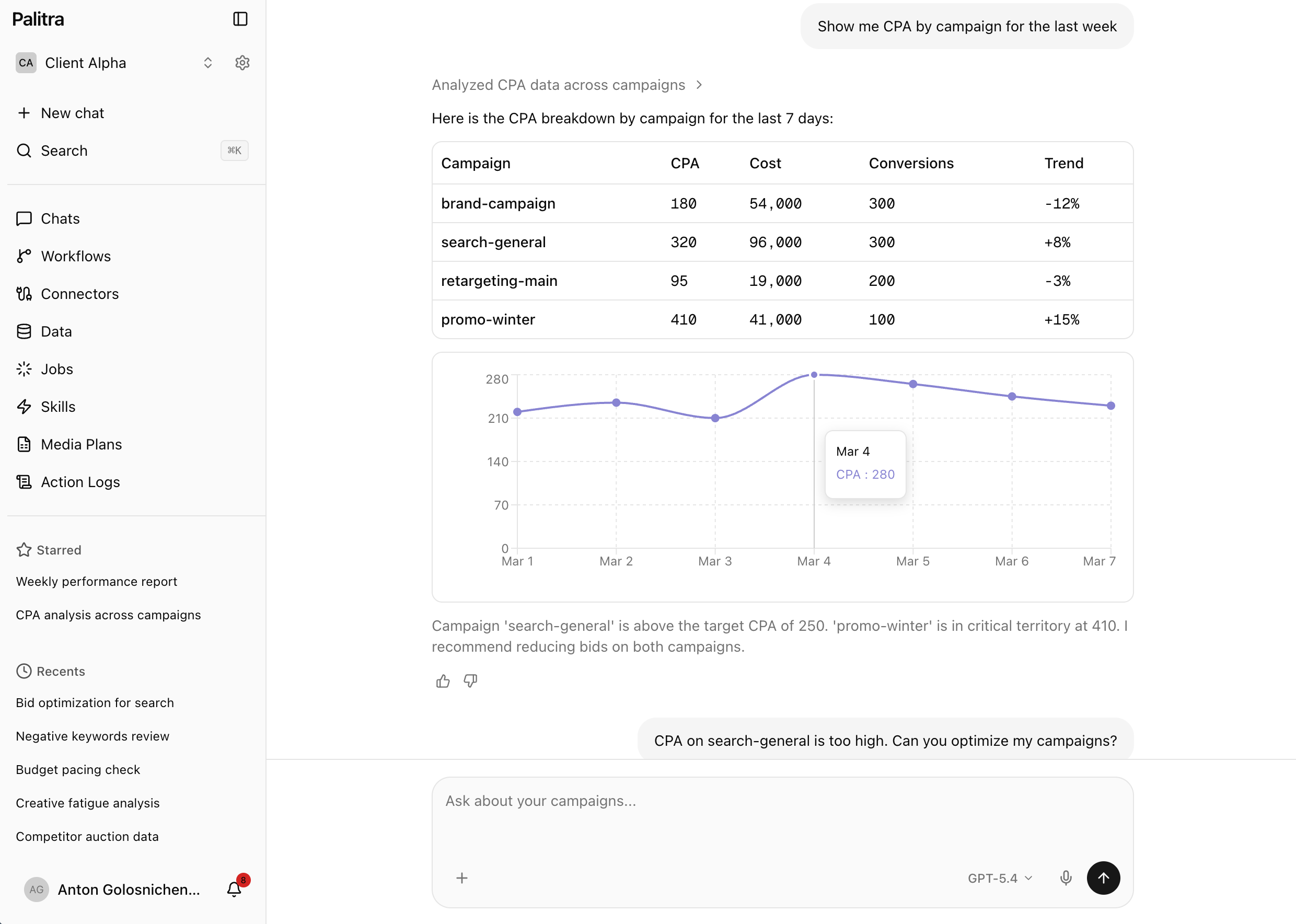
Ask about your ad accounts and analytics in plain words. The agent pulls the data, builds the chart and suggests changes. Bids and campaigns change only after you approve.
The routine it takes over
Before
Exports, pivot tables and manual campaign checks
Daily optimization took 1–2 hours: export stats from each account, merge them into a spreadsheet, find what dropped and decide what to change.
After
5–10 minutes reviewing the agent's suggestions
The agent does the analysis, and you spend 5–10 minutes reviewing and approving its suggestions.
What it does
Plain-language questions
Ask the way you'd ask a colleague. The answer comes back as a chart or a table, not a link to a report.
Multi-step tasks
The agent breaks a task into steps and brings in sub-agents: one gathers data, another looks for causes, a third prepares changes.
Changes after approval
The agent changes bids and pauses campaigns only once you approve. Every action is recorded in the audit log.
Scheduled tasks and monitors
Put a task on a timer or ask the agent to watch a condition. A background agent spots the problem and suggests what to do.
Skills as /commands
Weekly reports, search-term analysis and anomaly detection run with a single /command. Use the built-in skills or add your own.
Shared chats, any model
Your team sees each other's context in shared chats. You pick the model: any frontier model, such as OpenAI, Claude or Gemini, or your own.
What it looks like
You: Why did CPA go up in our search campaigns yesterday?
Palitra: CPA rose 34%, driven by two campaigns. In “Brand — Core” the average CPC went up 28%, and “Catalog — Generic” started matching irrelevant queries containing “free”. I suggest lowering the bid in the first campaign by 15% and adding 12 negative keywords to the second. Apply?
You: Add the negatives, leave the bid as is for now.
Palitra: Done: 12 negative keywords added to “Catalog — Generic”, the bid in “Brand — Core” is unchanged. I'll check CPA tomorrow morning and send you the result in Slack.
Available on
- Starter— included
- Pro— included
- Scale— included
- Enterprise— included
FAQ
Didn't find your answer? Get in touch and we'll walk you through it in a demo.