Control and approvals
Advertising automation that stays under your control
Your team sets the rules and the system enforces them: the agent can't exceed bid and budget limits, and won't apply a change without approval if that's how you've set it up.
The routine it takes over
Before
Double-checking every bid and budget change by hand
Handing bids and budgets to automation meant reviewing every edit and keeping track of what changed, where and when.
After
Limits, approvals and a log of every action
The boundaries are set in numbers, risky changes wait for approval, and every action is in the audit log.
What it does
A mode for every tool
Always allowed, needs approval, or blocked. For example, the agent builds reports on its own, changes bids after approval and can't delete campaigns at all.
Per-connector limits
Maximum bid and budget change, minimum and maximum daily budget, maximum share of paused campaigns, no deletes, a minimum-data threshold and brand protection.
Approvals in four places
In the web app, by email, in Telegram and in Slack. The first person to respond decides.
Optimization memory
Every change is scored as positive, negative, neutral or confounded, and Palitra learns from the patterns.
A/B experiments
Test a hypothesis with a native A/B experiment before rolling a change out across the account.
Audit log
Every change is logged: what changed, when, and who approved it.
What it looks like
You: Raise the budget on “Sale — Smartphones” by 80%.
Palitra: I can't: this connector caps a single change at 30%. I can raise the budget by 30% now and revisit in three days if ACoS stays on target. Send it for approval?
You: Yes, send it.
Palitra: Request sent to Telegram and Slack. The change applies on the first response, and the decision goes into the audit log.
Action log and self-learning
Action log
Every change applied in this project
- Keyword bid changeOct 3, 09:00Workflow·“Search — brand”Evaluating
- Budget changeOct 2, 10:14Chat·“Sale — smartphones”ACoS −8%
- Negative keywords addedSep 29, 09:02Workflow·“Search — New York”CPA −14%
- Strategy changeSep 25, 16:40Chat·“Retargeting”CPA +2%
Available on
- Starter— included
- Pro— included
- Scale— included
- Enterprise— included
Related features
AI agent
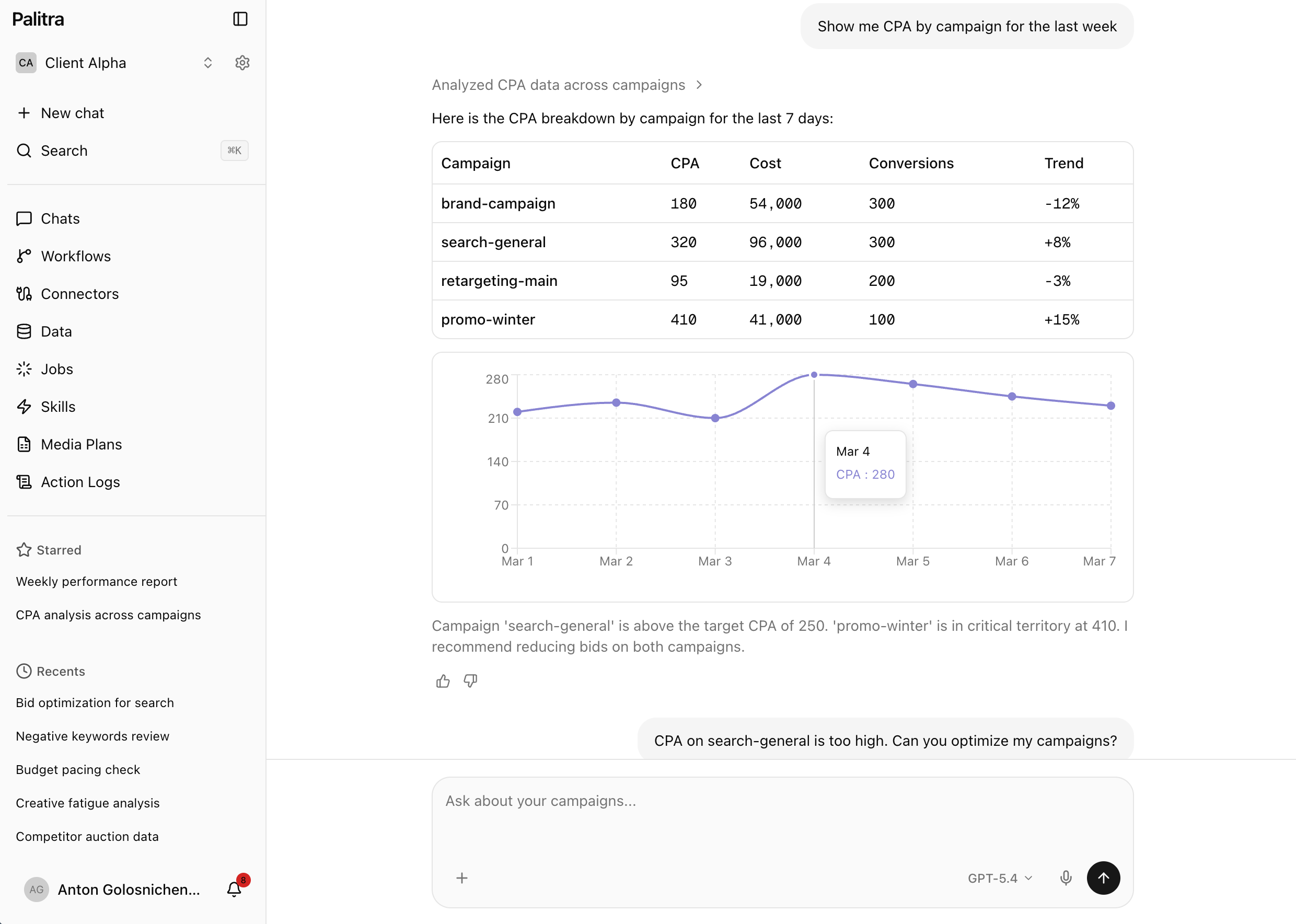
No more exporting stats and stitching spreadsheets together: ask in plain words and get an answer with a chart.
Workflows
Recurring ad work runs on its own: on a schedule, an event or a webhook, with changes waiting for approval.
Messengers
Ad reports, alerts and approvals land in Telegram and Slack, including your team's group chats.
FAQ
Didn't find your answer? Get in touch and we'll walk you through it in a demo.