Messengers
Ad reports and approvals where your team already works
Palitra sends reports and alerts to Telegram and Slack and takes your decisions there too. No more opening the app just to click “Approve”.
The routine it takes over
Before
Pasting screenshots of ad reports into the team chat
The report was built in one place, a screenshot went to the chat, and the decision was then entered in the ad account by hand.
After
Reports and change approvals right in your messenger
Reports and alerts go straight to the team chat, and changes are approved right in the messenger.
What it does
Scheduled reports
A morning summary or the weekly report arrives in Telegram or Slack on schedule.
Alerts
When a monitor spots rising CPA or overspend, a message hits the chat right away, along with a suggested fix.
Approvals in chat
Approve or reject bid and budget changes without leaving the messenger. The first response counts.
Group chats
Add Palitra to your team chat. Permissions are checked on every message, so only people with the right role can approve a change.
Email and web
For people who don't use messengers, reports and approval requests also arrive by email and in the web app.
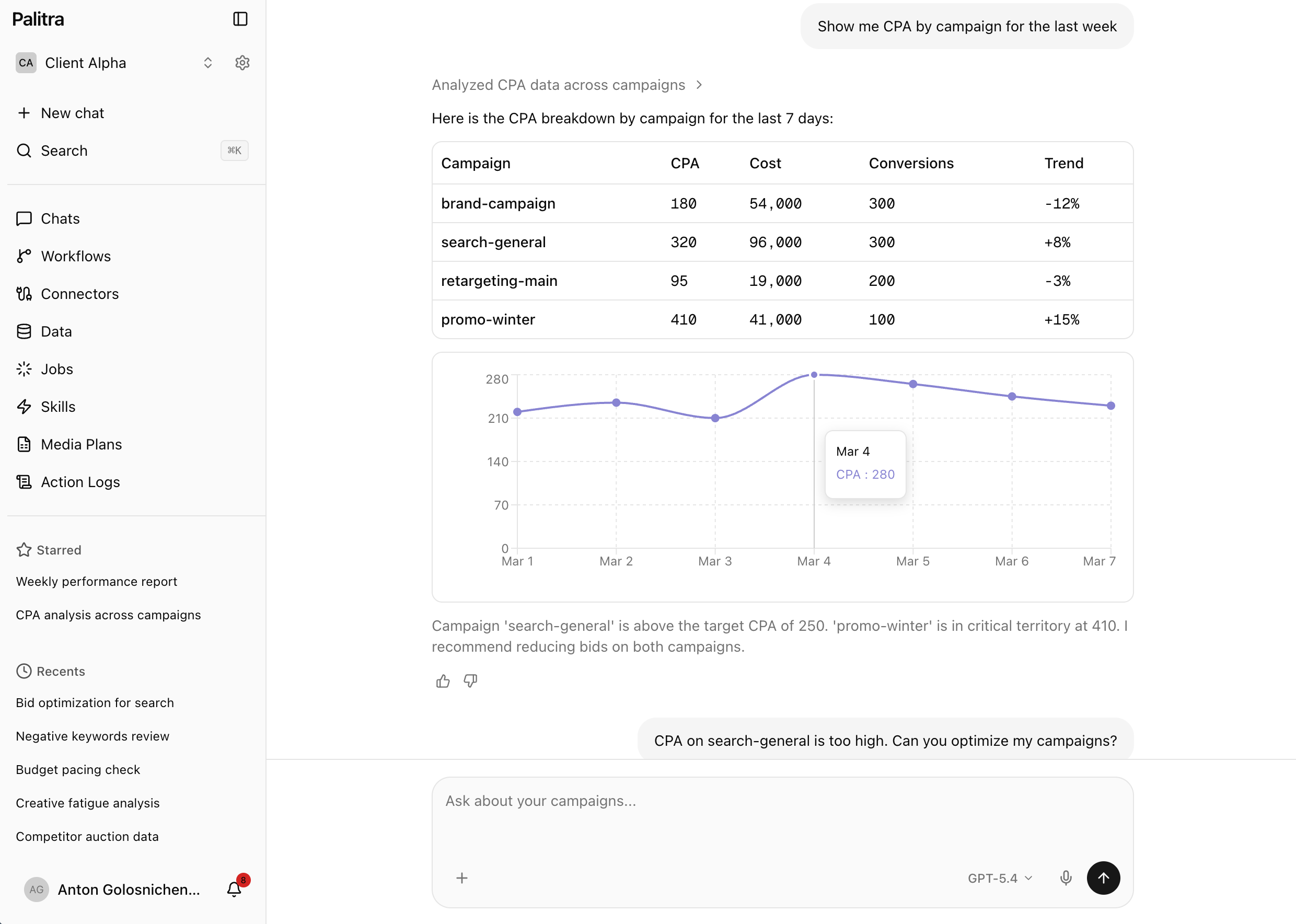
What it looks like

Palitra
bot
Available on
- Starter— included
- Pro— included
- Scale— included
- Enterprise— included
Related features
Control and approvals
The agent works inside your rules: tool permissions, change limits, approvals and an audit log.
Workflows
Recurring ad work runs on its own: on a schedule, an event or a webhook, with changes waiting for approval.
Multi-client
No more separate logins and spreadsheets for every client: one project per client, shared credentials and roles.
FAQ
Didn't find your answer? Get in touch and we'll walk you through it in a demo.