For enterprise
AI for advertising, on your security team's terms
Deploy Palitra in your own cloud, connect your identity provider and bring your own model. The agent handles day-to-day ad operations, while changes go through approval by default and land in the audit log.
Sound familiar?
- Security won't let third-party tools near your advertising data
- Sending data to outside AI models needs sign-off you don't have
- Figuring out who changed a budget means digging through chat history
- Dozens of brands and business lines, each with its own spreadsheets and reports
Time freed up for the marketing team
| Task | Before | With Palitra |
|---|---|---|
| Daily campaign optimization | 1–2 h | 5–10 min to review |
| Report for leadership | 3–4 h* | 20 min: the report builds on schedule |
| Tracing who changed a campaign | 30–60 min* | 1 min: an entry in the audit log |
| Onboarding a new team member | separate access to every ad account | SSO sign-in, ad account credentials at org level |
Daily campaign optimization
Before
1–2 hWith Palitra
5–10 min to reviewReport for leadership
Before
3–4 h*With Palitra
20 min: the report builds on scheduleTracing who changed a campaign
Before
30–60 min*With Palitra
1 min: an entry in the audit logOnboarding a new team member
Before
separate access to every ad accountWith Palitra
SSO sign-in, ad account credentials at org level
* Estimate for a typical account.
How it works
Deployed in your cloud
Palitra runs on your infrastructure: AWS, GCP, Azure or Kubernetes. Ad account credentials are encrypted with AES-256-GCM, and each project's data is isolated.
Your own AI provider
Connect the model your security team has approved: any frontier model or your own.
Corporate sign-in and an audit log
Your team signs in with SSO/SAML (Okta, Azure AD). Roles control who can access which project, and every advertising change is logged: what changed, when and who approved it.
Features you'll use
Control and approvals
The agent works inside your rules: tool permissions, change limits, approvals and an audit log.
Multi-client
No more separate logins and spreadsheets for every client: one project per client, shared credentials and roles.
MCP and API
Connect Claude, ChatGPT, Cursor or your own systems to Palitra's advertising data and tools over MCP.
AI agent
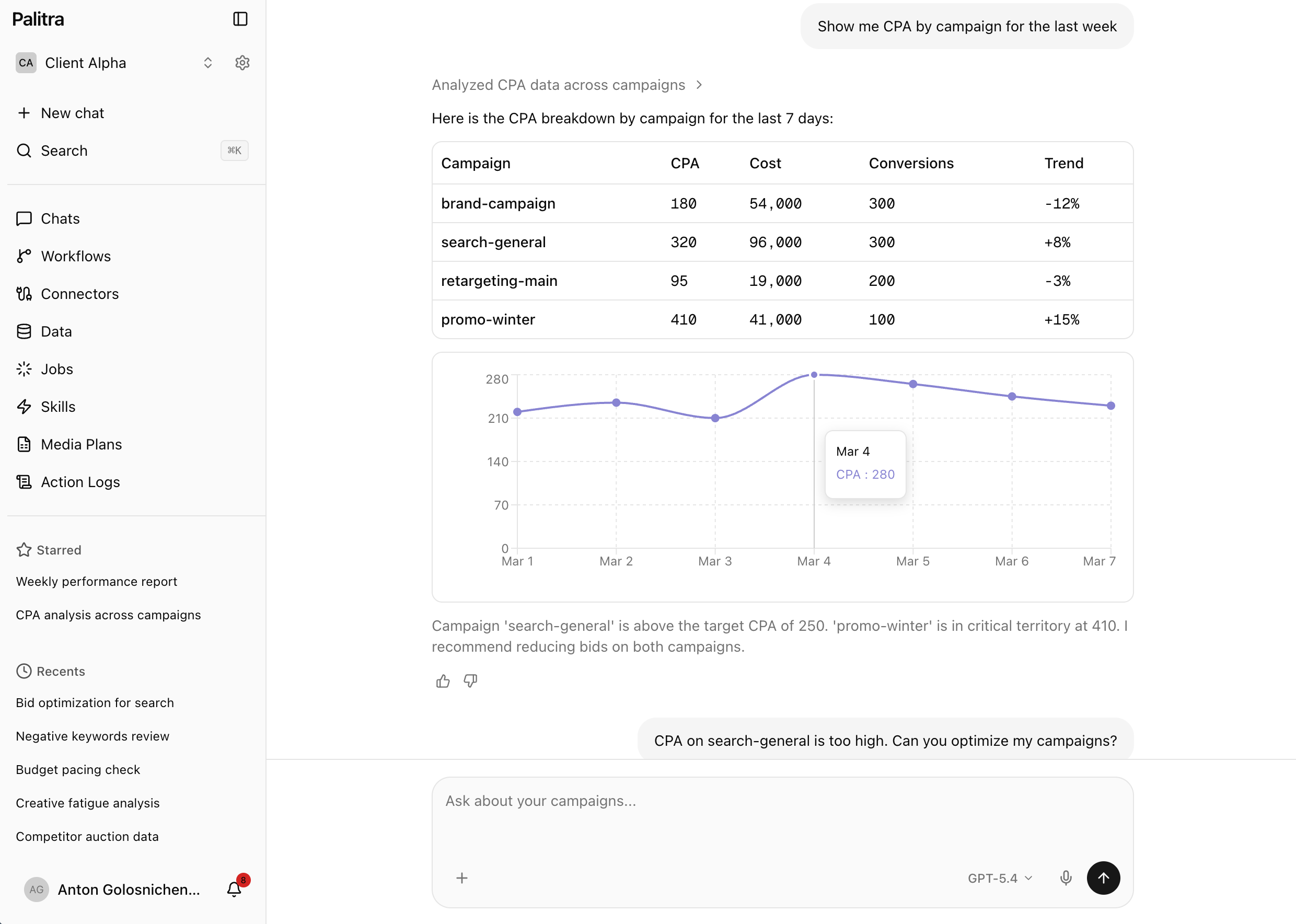
No more exporting stats and stitching spreadsheets together: ask in plain words and get an answer with a chart.
Recommended plan: Enterprise
Fits this setup in number of projects and features. Unlimited users on every plan.
FAQ
Didn't find your answer? Get in touch and we'll walk you through it in a demo.