For in-house teams
All of your company's advertising, run by one team
Palitra pulls data from ad accounts and analytics and prepares reports and changes for approval. Your marketers spend their time on strategy, not exports.
Sound familiar?
- Marketers spend hours exporting data from ad accounts into spreadsheets
- Leadership asks how things are going, and someone rushes to build a report
- Each channel has its own specialist and its own spreadsheet, and nobody sees the whole picture
- A drop gets noticed days later, after the budget is already spent
Time freed up for the team
| Task | Before | With Palitra |
|---|---|---|
| Daily campaign optimization | 1–2 h | 5–10 min to review |
| Weekly report for leadership | 2–3 h* | 15 min: the report arrives on schedule |
| Exporting and merging ad account data | 3–4 h a week* | ask in chat, get an answer in minutes |
| Finding out why CPA went up | 1–2 h* | 10 min: an alert with the cause and a fix |
Daily campaign optimization
Before
1–2 hWith Palitra
5–10 min to reviewWeekly report for leadership
Before
2–3 h*With Palitra
15 min: the report arrives on scheduleExporting and merging ad account data
Before
3–4 h a week*With Palitra
ask in chat, get an answer in minutesFinding out why CPA went up
Before
1–2 h*With Palitra
10 min: an alert with the cause and a fix
* Estimate for a typical account.
How it works
Leadership reports without reminders
Every Monday a workflow pulls results across all channels and sends the report to Slack or email. Leadership sees spend, conversions and cost per lead without chasing the team.
Answers instead of exports
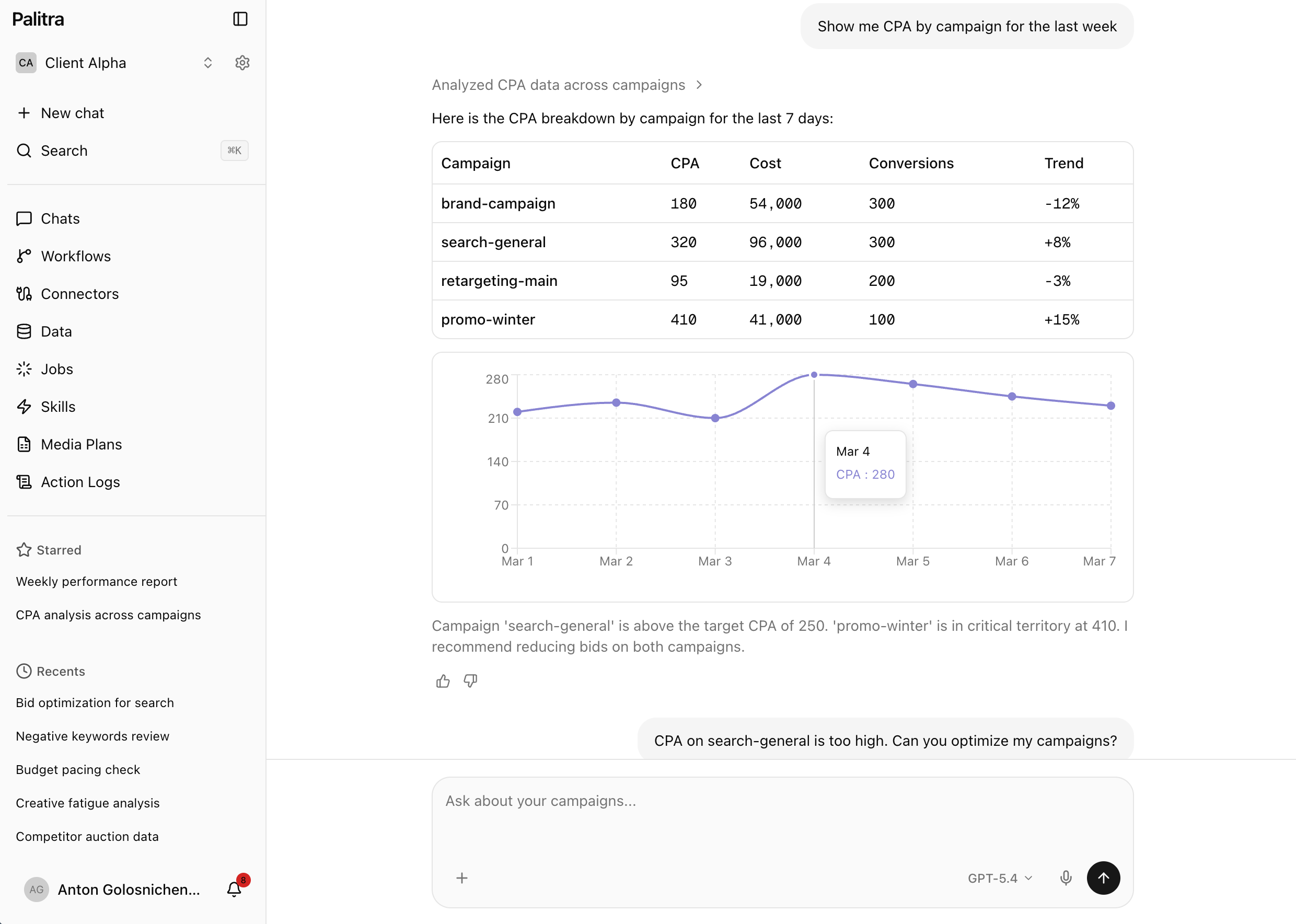
A marketer asks in plain language — "Which campaigns got more expensive this week?" — and gets a chart or table built from every connected ad account and analytics source.
Shared context for the whole team
In shared chats everyone sees each other's questions and findings. The agent prepares bid and budget changes, and by default applies them only after the owner approves.
Features you'll use
AI agent
No more exporting stats and stitching spreadsheets together: ask in plain words and get an answer with a chart.
Workflows
Recurring ad work runs on its own: on a schedule, an event or a webhook, with changes waiting for approval.
Analytics and attribution
Every ad channel in one place, no spreadsheets: 8 attribution models, ROAS and ACoS down to the product.
Messengers
Ad reports, alerts and approvals land in Telegram and Slack, including your team's group chats.
Recommended plan: Pro
Fits this setup in number of projects and features. Unlimited users on every plan.
Good to know
- Scheduled workflows start on Pro with 50 runs a month; Scale includes 500.
FAQ
Didn't find your answer? Get in touch and we'll walk you through it in a demo.